Course gallery

Learning, elevated.

← Back to the career story

Start here

From luxury products to video games and hardware — innovative course design that gets attention.

Browse by brand

All courses by title

All courses. Select a column heading to sort.
4G Push-to-Talk WCSR Interactive User Guide (opens in a new tab)EnglishSaskTel
Adding HDD Value to SSD (opens in a new tab)EnglishWD
Age of Empires Online (opens in a new tab)EnglishMicrosoft
Arc Touch Mouse and Arc Keyboard (opens in a new tab)EnglishMicrosoft
Attaching Microsoft Hardware to Netbook Sales (opens in a new tab)EnglishMicrosoft
Attaching Office 2007 to Every PC Sale, Part 2 (opens in a new tab)EnglishMicrosoft
Attaching Xbox LIVE (opens in a new tab)EnglishMicrosoft
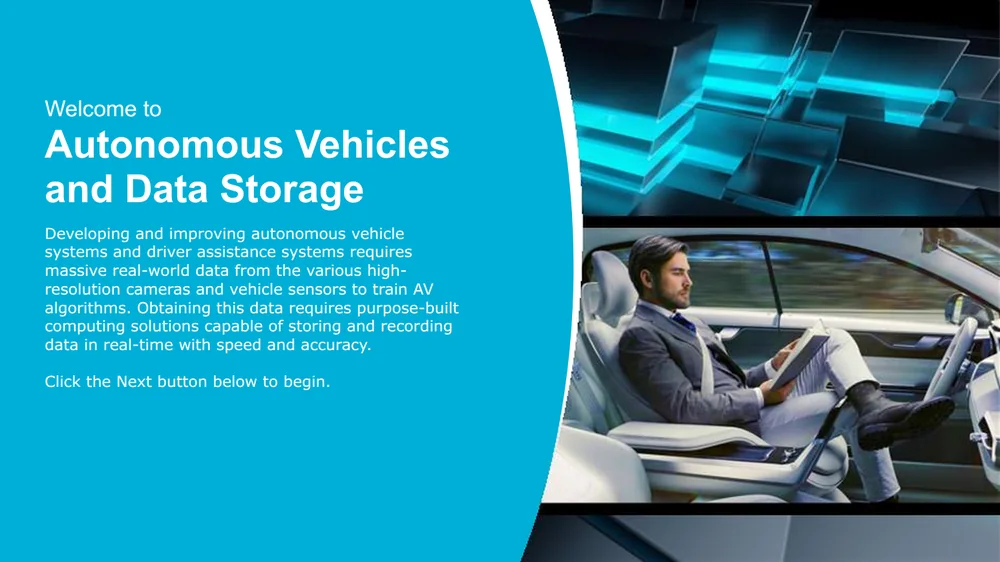
Autonomous Vehicles & Data Storage (opens in a new tab)EnglishWestern Digital (corporate)
Battlefield 3 for Xbox 360 (opens in a new tab)EnglishMicrosoft
Body and Brain Connection (opens in a new tab)EnglishMicrosoft
Building Collaborative Relationships (opens in a new tab)EnglishHP
Call of Duty: Black Ops (opens in a new tab)EnglishMicrosoft
Call of Duty: Black Ops II (opens in a new tab)EnglishMicrosoft
Call of Duty: Modern Warfare 3 (opens in a new tab)EnglishMicrosoft
Carnival Games: Monkey See, Monkey Do (opens in a new tab)EnglishMicrosoft
Child of Eden (opens in a new tab)EnglishMicrosoft
Coaching Store Personnel (opens in a new tab)EnglishHP
Communicate Effortlessly with Windows 7 (opens in a new tab)EnglishMicrosoft
Comparing Windows 7 to Macs (opens in a new tab)EnglishMicrosoft
Comparing Windows 7, Windows XP and Windows Vista (opens in a new tab)EnglishMicrosoft
Customize Your Entertainment in Windows 7 (opens in a new tab)EnglishMicrosoft
CyberScholar: Meet Windows (opens in a new tab)EnglishWalmart
Dance Central (opens in a new tab)EnglishMicrosoft
Dance Central 2 (opens in a new tab)EnglishMicrosoft
Dance Central 3 (opens in a new tab)EnglishMicrosoft
Data Loss and Modern Data Recovery Methods (opens in a new tab)EnglishWestern Digital (corporate)
Dead Space 3 (opens in a new tab)EnglishMicrosoft
Desktop Drives vs. Surveillance Drives (opens in a new tab)EnglishWD
Effortless Access with Windows 7 (opens in a new tab)EnglishMicrosoft
Engaging the Customer (opens in a new tab)EnglishBest Buy
Fable III (opens in a new tab)EnglishMicrosoft
Fable: The Journey (opens in a new tab)EnglishMicrosoft
FIFA Soccer 12 for Xbox 360 (opens in a new tab)EnglishMicrosoft
FIFA Soccer 13 (opens in a new tab)EnglishMicrosoft
Forza Horizon (opens in a new tab)EnglishMicrosoft
Forza Motorsport 4 (opens in a new tab)EnglishMicrosoft
Fun on Xbox LIVE (opens in a new tab)EnglishMicrosoft
G-DRIVE ev RaW SSD (opens in a new tab)EnglishG-Technology
G-DRIVE mobile Pro SSD (opens in a new tab)EnglishG-Technology
G-DRIVE mobile SSD R-Series (opens in a new tab)EnglishG-Technology
G-DRIVE with Thunderbolt 3 (opens in a new tab)EnglishG-Technology
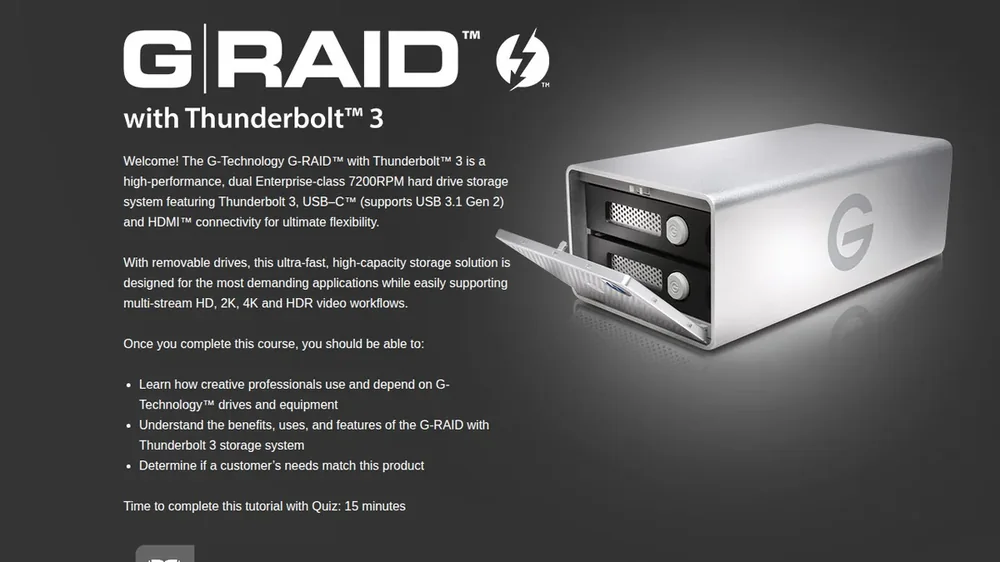
G-RAID with Thunderbolt 3 (opens in a new tab)EnglishG-Technology
G-SPEED Shuttle XL with Thunderbolt 3 (opens in a new tab)EnglishG-Technology
G-Technology ev Series Workflow (opens in a new tab)EnglishG-Technology
Gearfest 2011: Xbox Accessories (opens in a new tab)EnglishMicrosoft
Gearfest 2012 (opens in a new tab)EnglishMicrosoft
Gearfest 2013 (opens in a new tab)EnglishMicrosoft
Gears of War 3: Mission 1 (opens in a new tab)EnglishMicrosoft
Gears of War 3: Mission 2, Squad Training (opens in a new tab)EnglishMicrosoft
Gears of War 3: Mission 3, Battle Ready (opens in a new tab)EnglishMicrosoft
Gears of War 3: Season Pass Elite Training (opens in a new tab)EnglishMicrosoft
Get to Know Office 365 Home Premium (opens in a new tab)EnglishMicrosoft
Getting Started with Microsoft Office (opens in a new tab)EnglishMicrosoft
Getting Started with Office 365 Small Business Premium (opens in a new tab)EnglishMicrosoft
Giving Compelling Presentations (opens in a new tab)EnglishHP
Halo 4: Mission 1 (opens in a new tab)EnglishMicrosoft
Halo 4: Mission 2 (opens in a new tab)EnglishMicrosoft
Halo 4: Mission 3 (opens in a new tab)EnglishMicrosoft
Halo: Combat Evolved Anniversary (opens in a new tab)EnglishMicrosoft
Homefront (opens in a new tab)EnglishMicrosoft
How to Demo Kinect (opens in a new tab)EnglishMicrosoft
How to Sell WD Red (opens in a new tab)EnglishWD
How to Sell Windows 7 (opens in a new tab)EnglishMicrosoft
Identifying Volume Licensing Opportunities (opens in a new tab)EnglishMicrosoft
Influencing Others and Persuasive Communications (opens in a new tab)EnglishHP
Internet Explorer 9 Performance & Pinning Demo (opens in a new tab)EnglishMicrosoft
Intro to High-Speed Connectivity (opens in a new tab)EnglishG-Technology
Introducing Activation (opens in a new tab)EnglishMicrosoft
Introducing Office 365 (opens in a new tab)EnglishMicrosoft
Introduction to Android (opens in a new tab)EnglishSaskTel
Introduction to Apple iOS 6 (opens in a new tab)EnglishSaskTel
Introduction to BlackBerry 10 (opens in a new tab)EnglishSaskTel
Introduction to Convergence (opens in a new tab)EnglishSaskTel
Introduction to ICT (opens in a new tab)EnglishSaskTel
Introduction to Modern Data Recovery (opens in a new tab)EnglishWestern Digital (corporate)
Introduction to My Cloud OS 3 (Portuguese) (opens in a new tab)PortugueseWD
Introduction to My Cloud Pro Series (opens in a new tab)EnglishWD
Introduction to Point of Sale Activation (opens in a new tab)EnglishMicrosoft
Introduction to WD Blue SSD (opens in a new tab)EnglishWD
Introduction to WD Gold (opens in a new tab)EnglishWD
Introduction to WD Green SSD (opens in a new tab)EnglishWD
Introduction to Windows Phone (opens in a new tab)EnglishSaskTel
Key Office 2010 Features for Students (opens in a new tab)EnglishMicrosoft
Kinect Disneyland Adventures (opens in a new tab)EnglishMicrosoft
Kinect for the Core (opens in a new tab)EnglishMicrosoft
Kinect Games (opens in a new tab)EnglishMicrosoft
Kinect Games: Fun That Brings Everyone Together (opens in a new tab)EnglishMicrosoft
Kinect Games: Get Fit, Have Fun! (opens in a new tab)EnglishMicrosoft
Kinect Key Games (opens in a new tab)EnglishMicrosoft
Kinect Retail Experience Demo (opens in a new tab)EnglishMicrosoft
Kinect Rush: A Disney•Pixar Adventure (opens in a new tab)EnglishMicrosoft
Kinect Sports: Season Two (opens in a new tab)EnglishMicrosoft
Kinect Star Wars (opens in a new tab)EnglishMicrosoft
Kinect: Fun That's Good for You (opens in a new tab)EnglishMicrosoft
Kinectimals Now with Bears! (opens in a new tab)EnglishMicrosoft
Kung Fu Panda 2 for Xbox 360 + Kinect (opens in a new tab)EnglishMicrosoft
LifeCam HD and TrueColor Technology (opens in a new tab)EnglishMicrosoft
Light Up Your Phone (opens in a new tab)EnglishMicrosoft
Madden NFL 12 (opens in a new tab)EnglishMicrosoft
Mafia II (opens in a new tab)EnglishMicrosoft
Make Memories into Masterpieces with Windows 7 (opens in a new tab)EnglishMicrosoft
Mass Effect 3 (opens in a new tab)EnglishMicrosoft
Max Payne 3 (opens in a new tab)EnglishMicrosoft
Meet Excel 2013 (opens in a new tab)EnglishMicrosoft
Meet Microsoft Office 365 University (opens in a new tab)EnglishMicrosoft
Meet Office 365 Small Business Premium (opens in a new tab)EnglishMicrosoft
Meet OneNote 2013 (opens in a new tab)EnglishMicrosoft
Meet Outlook 2013 (opens in a new tab)EnglishMicrosoft
Meet PowerPoint 2013 (opens in a new tab)EnglishMicrosoft
Meet the New Office (opens in a new tab)EnglishMicrosoft
Meet the Office Suites (opens in a new tab)EnglishMicrosoft
Meet Word 2013 (opens in a new tab)EnglishMicrosoft
Microsoft Arc Mouse and Keyboard (opens in a new tab)EnglishMicrosoft
Microsoft Expert Zone: PC Expert Bronze (opens in a new tab)EnglishMicrosoft
Microsoft Expert Zone: Qualification for Course Builders (opens in a new tab)EnglishMicrosoft
Microsoft Expert Zone: Trivia Quiz (opens in a new tab)EnglishMicrosoft
Microsoft Expert Zone: Xbox 360 Bronze (opens in a new tab)EnglishMicrosoft
Microsoft Expert Zone: Xbox 360 Expert VIP (opens in a new tab)EnglishMicrosoft
Microsoft Expert Zone: Zune HD and Xbox 360 (opens in a new tab)EnglishMicrosoft
Microsoft Expert Zone: Zune HD, Your Entertainment Everywhere (opens in a new tab)EnglishMicrosoft
Microsoft Expert Zone: Zune Pass on Xbox LIVE (opens in a new tab)EnglishMicrosoft
Microsoft Expert Zone: Zune Software and Marketplace (opens in a new tab)EnglishMicrosoft
Microsoft Hardware and Netbooks (opens in a new tab)EnglishMicrosoft
Microsoft Hardware and Windows 7 (opens in a new tab)EnglishMicrosoft
Microsoft Hardware: Looks Different, Feels Amazing (opens in a new tab)EnglishMicrosoft
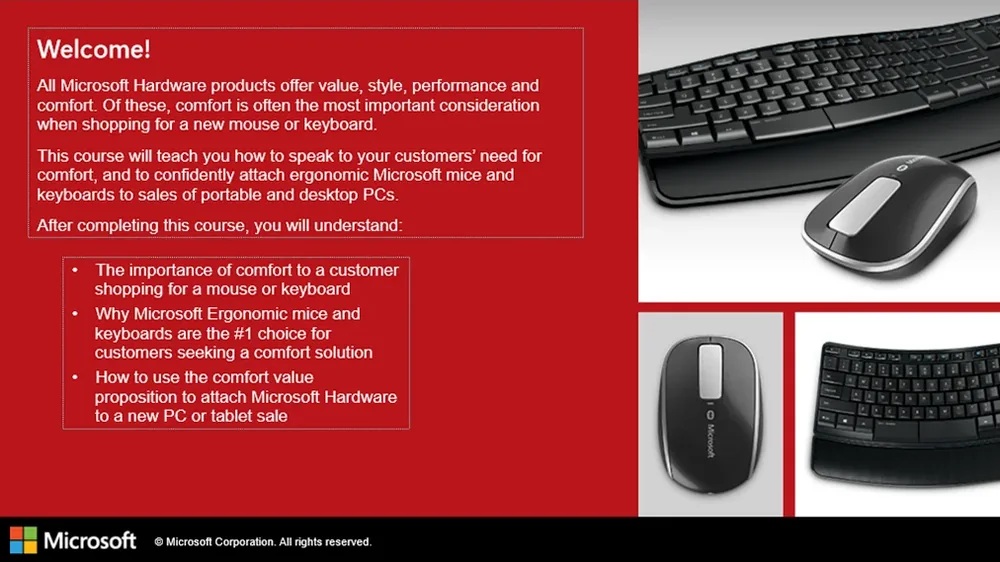
Microsoft Hardware: Sculpt Comfort (opens in a new tab)EnglishMicrosoft
Microsoft Office Pre-Launch Offer (opens in a new tab)EnglishMicrosoft
Microsoft Publisher 2010 (opens in a new tab)EnglishMicrosoft
Microsoft Sculpt Products (opens in a new tab)EnglishMicrosoft
Microsoft Security Essentials (opens in a new tab)EnglishMicrosoft
Microsoft Touch Mouse (opens in a new tab)EnglishMicrosoft
Milestone ARCUS Video Surveillance (Spanish) (opens in a new tab)SpanishWD
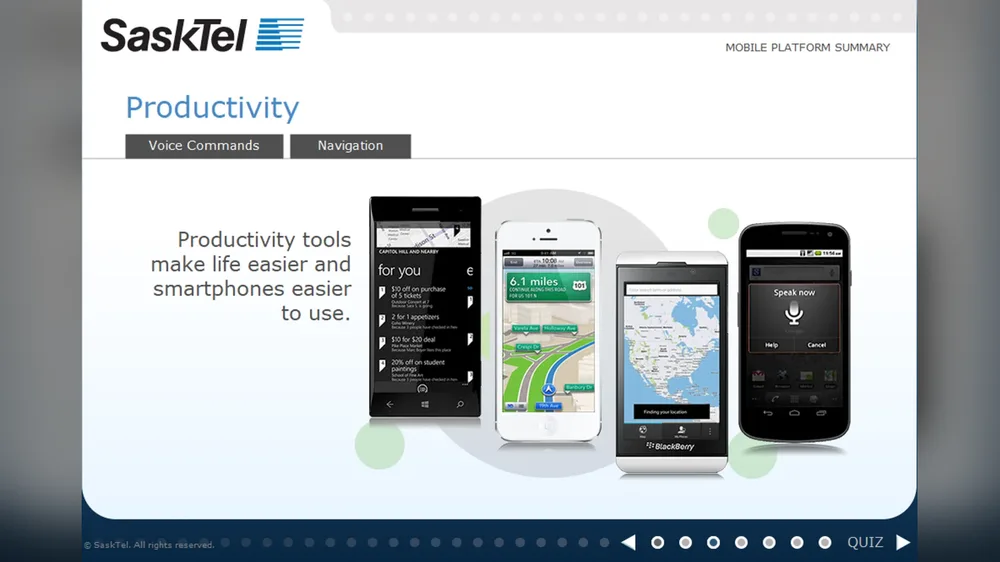
Mobile Platform Summary (opens in a new tab)EnglishSaskTel
More Kinect Games (opens in a new tab)EnglishMicrosoft
My Book (opens in a new tab)EnglishWD
My Book Duo (opens in a new tab)EnglishWD
My Cloud Expert Series EX2100 and EX4100 (opens in a new tab)EnglishWD
My Cloud Home (French) (opens in a new tab)FrenchWD
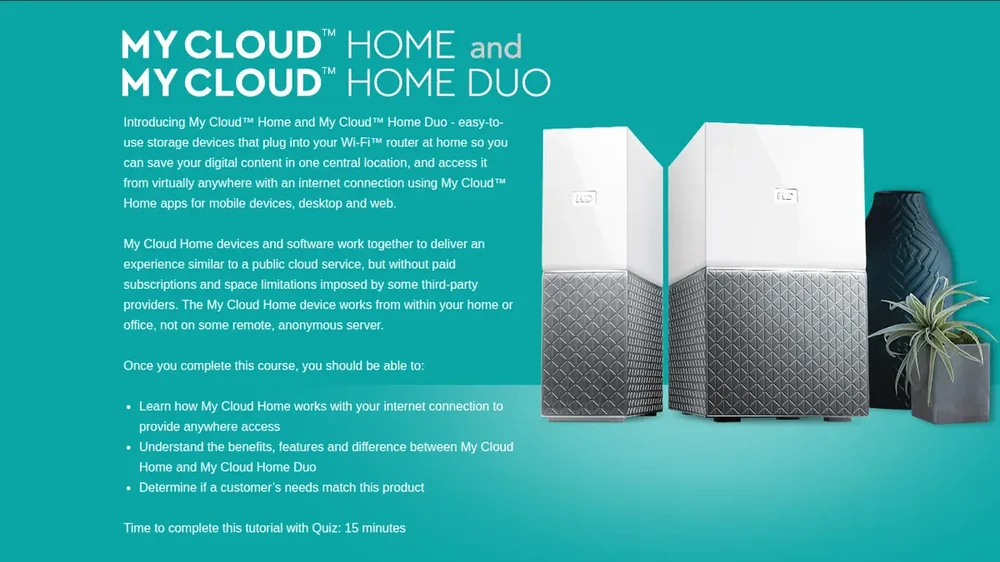
My Cloud Home and My Cloud Home Duo (opens in a new tab)EnglishWD
My Cloud Mirror (opens in a new tab)EnglishWD
My Cloud OS 3 Third-Party Apps (opens in a new tab)EnglishWD
My Passport and My Passport for Mac (opens in a new tab)EnglishWD
My Passport AV-TV (opens in a new tab)EnglishWD
My Passport Cinema (opens in a new tab)EnglishWD
My Passport for Mac (USB 3.0) (opens in a new tab)EnglishWD
My Passport Go (opens in a new tab)EnglishWD
My Passport SSD (opens in a new tab)EnglishWD
My Passport Ultra (opens in a new tab)EnglishWD
My Passport Ultra Metal Edition (opens in a new tab)EnglishWD
My Passport Wireless Pro (Japanese) (opens in a new tab)JapaneseWD
My Passport Wireless SSD (opens in a new tab)EnglishWD
NBA 2K12 (opens in a new tab)EnglishMicrosoft
Need for Speed Most Wanted (opens in a new tab)EnglishMicrosoft
Need for Speed: Hot Pursuit (opens in a new tab)EnglishMicrosoft
Nike+ Kinect Training (opens in a new tab)EnglishMicrosoft
Office 2007 Small Business Upsell (opens in a new tab)EnglishMicrosoft
Office 2008 for Mac Technology Guarantee (opens in a new tab)EnglishMicrosoft
Office 2010 Applications (opens in a new tab)EnglishMicrosoft
Office 2010 Back to School Promotion (opens in a new tab)EnglishMicrosoft
Office 2010 for Small Businesses (opens in a new tab)EnglishMicrosoft
Office 2010 Technology Guarantee (opens in a new tab)EnglishMicrosoft
Office 365 Basics for Syndicators (opens in a new tab)EnglishMicrosoft
Office 365 Syndication Assessment (opens in a new tab)EnglishMicrosoft
Office for Mac 2011 Back to School (opens in a new tab)EnglishMicrosoft
Office for Mac 2011 Essentials (opens in a new tab)EnglishMicrosoft
Office for Mac 2011 for Small Businesses (opens in a new tab)EnglishMicrosoft
Office for Mac 2011 Sales Scenarios (opens in a new tab)EnglishMicrosoft
Office for Mac 2011 Scenario Demos (opens in a new tab)EnglishMicrosoft
Office for Mac 2011: How to Sell (opens in a new tab)EnglishMicrosoft
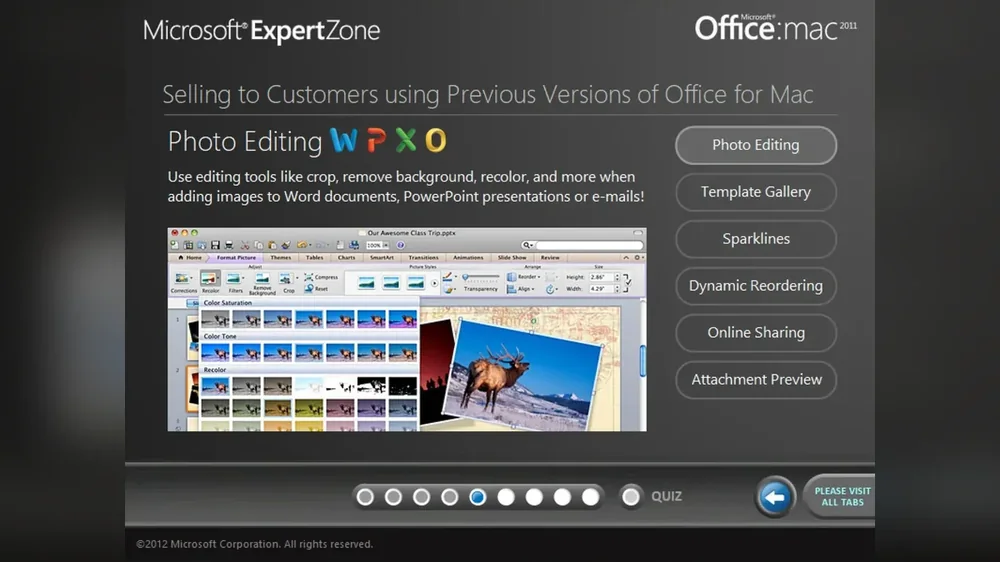
Office for Mac 2011: What's New (opens in a new tab)EnglishMicrosoft
Office for Mac Essentials (opens in a new tab)EnglishMicrosoft
Office University 2010 (opens in a new tab)EnglishMicrosoft
Office Web Apps (opens in a new tab)EnglishMicrosoft
Open License Overview (opens in a new tab)EnglishMicrosoft
Outlook Upsell (opens in a new tab)EnglishMicrosoft
PC Compare Tool (opens in a new tab)EnglishMicrosoft
Playful Learning (opens in a new tab)EnglishMicrosoft
Polk SurroundBar 5000 (opens in a new tab)EnglishMicrosoft
PowerBean Display Setup (opens in a new tab)EnglishThe Eleven Agency
Practice Management & Medical Billing (opens in a new tab)EnglishNextGen Healthcare
Problem Solving (opens in a new tab)EnglishHP
Product Key Card Returns (opens in a new tab)EnglishMicrosoft
QuickLooks: Three Fine Mice (opens in a new tab)EnglishThe Eleven Agency
Recommend the Right Office (opens in a new tab)EnglishMicrosoft
Recommending BlueTrack Technology (opens in a new tab)EnglishMicrosoft
Recommending the Right Office 2010 Suite (opens in a new tab)EnglishMicrosoft
Recommending Touch Mouse Products (opens in a new tab)EnglishMicrosoft
Recommending Windows 7 to Small Business Customers (opens in a new tab)EnglishMicrosoft
Resident Evil 6 (opens in a new tab)EnglishMicrosoft
Retail Sales Associate Accreditation Assessment for Office (opens in a new tab)EnglishMicrosoft
Rise of Nightmares (opens in a new tab)EnglishMicrosoft
Robern Spring 2024 Collection (opens in a new tab)EnglishKohler
Safety Commitment & Safety Pledge (opens in a new tab)EnglishEastern Airlines
SanDisk Clip Sport Plus (opens in a new tab)EnglishSanDisk
SanDisk Connect Wireless Stick (opens in a new tab)EnglishSanDisk
SanDisk Extreme Go USB 3.1 Flash Drive (opens in a new tab)EnglishSanDisk
SanDisk Extreme microSD Cards (opens in a new tab)EnglishSanDisk
SanDisk Extreme Portable SSD (opens in a new tab)EnglishSanDisk
SanDisk Extreme PRO M.2 NVMe 3D SSD (opens in a new tab)EnglishSanDisk
SanDisk Extreme PRO SSD (opens in a new tab)EnglishSanDisk
SanDisk iXpand Base (opens in a new tab)EnglishSanDisk
SanDisk iXpand Flash Drive (Chinese) (opens in a new tab)ChineseSanDisk
SanDisk Ultra 3D SSD (Turkish) (opens in a new tab)TurkishSanDisk
SanDisk Ultra Fit USB 3.1 Flash Drive (opens in a new tab)EnglishSanDisk
SanDisk Ultra microSD UHS-I Card (opens in a new tab)EnglishSanDisk
SanDisk Ultra USB Type-C Flash Drive (opens in a new tab)EnglishSanDisk
Sculpt Know & Show (opens in a new tab)EnglishMicrosoft
Selling Companion PCs (opens in a new tab)EnglishMicrosoft
Selling During the Back to School Season (opens in a new tab)EnglishMicrosoft
Selling Microsoft Office (opens in a new tab)EnglishMicrosoft
Selling Microsoft Office for Mac (opens in a new tab)EnglishMicrosoft
Selling Office 2010 (Advanced) (opens in a new tab)EnglishMicrosoft
Selling Office 365 for Syndicators (opens in a new tab)EnglishMicrosoft
Selling Office for Mac 2011 (opens in a new tab)EnglishMicrosoft
Selling Office to Small Businesses (opens in a new tab)EnglishMicrosoft
Selling the Xbox 360 320GB Hard Drive (opens in a new tab)EnglishMicrosoft
Selling Windows 7 (opens in a new tab)EnglishMicrosoft
Selling Windows 8 (opens in a new tab)EnglishWalmart
Selling Windows Phone 7.5 with Office 365 (opens in a new tab)EnglishMicrosoft
Selling Xbox 360 Batteries and Chargers (opens in a new tab)EnglishMicrosoft
Selling Xbox 360 Controllers & Remotes (opens in a new tab)EnglishMicrosoft
Selling Xbox 360 Headsets and Communications (opens in a new tab)EnglishMicrosoft
Selling Xbox 360 Networking and Cables (opens in a new tab)EnglishMicrosoft
Sesame Street: Once Upon a Monster (opens in a new tab)EnglishMicrosoft
Setting Up Kinect (opens in a new tab)EnglishMicrosoft
Small Business Solutions Selling (opens in a new tab)EnglishWD
Software Assurance Overview (opens in a new tab)EnglishMicrosoft
SSD 101 Training (Spanish) (opens in a new tab)SpanishWD
SSD 102 Advanced Training (opens in a new tab)EnglishWD
Successful Negotiation Strategies (opens in a new tab)EnglishHP
Supporting SMB Buying Needs (opens in a new tab)EnglishMicrosoft
Surface Family Training (opens in a new tab)EnglishMicrosoft
Telling the Complete Xbox 360 Story (opens in a new tab)EnglishMicrosoft
The Elder Scrolls V: Skyrim (opens in a new tab)EnglishMicrosoft
The Gunstringer (opens in a new tab)EnglishMicrosoft
The Right Way to Sell Office 2010 (opens in a new tab)EnglishMicrosoft
Tiger Woods PGA TOUR 13 (opens in a new tab)EnglishMicrosoft
Tiger Woods PGA TOUR 14 (opens in a new tab)EnglishMicrosoft
Tomb Raider (opens in a new tab)EnglishMicrosoft
TRITTON Headsets for Xbox 360 (opens in a new tab)EnglishMicrosoft
UFC Personal Trainer (opens in a new tab)EnglishMicrosoft
Understanding Legal Issues in Marketing (opens in a new tab)EnglishWestern Digital (corporate)
Understanding Regulatory Compliance (opens in a new tab)EnglishAmerican Home Shield
Upgrade Your Storage (opens in a new tab)EnglishWD
Upselling to Office on Preloaded PCs (opens in a new tab)EnglishMicrosoft
Using Office with Touch (opens in a new tab)EnglishMicrosoft
Using the Xbox Kiosk (opens in a new tab)EnglishMicrosoft
Value Mice (opens in a new tab)EnglishMicrosoft
WD 8TB Helium-Sealed Drives (opens in a new tab)EnglishWD
WD and the Modern Datacenter (opens in a new tab)EnglishWD
WD Black PCIe SSD (opens in a new tab)EnglishWD
WD Blue (opens in a new tab)EnglishWD
WD Blue 3D NAND SATA SSD (Traditional Chinese) (opens in a new tab)ChineseWD
WD Blue SSHD (opens in a new tab)EnglishWD
WD easystore Portable and Desktop Storage (opens in a new tab)EnglishWD
WD Green, WD Blue and WD Black SSDs (opens in a new tab)EnglishWD
WD My Cloud EX2 Ultra (Spanish) (opens in a new tab)SpanishWD
WD My Passport X (opens in a new tab)EnglishWD
WD NAS Product Family (opens in a new tab)EnglishWD
WD Purple microSD Card (opens in a new tab)EnglishWD
WD ReadyView Surveillance System (opens in a new tab)EnglishWD
WD Red NAS Hard Drives (opens in a new tab)EnglishWD
Wedge & Sculpt Selling Scenarios (opens in a new tab)EnglishMicrosoft
Wedge Know & Show (opens in a new tab)EnglishMicrosoft
Welcome the New Xbox 360 Accessories (opens in a new tab)EnglishMicrosoft
Welcome to the Xbox 360 (opens in a new tab)EnglishMicrosoft
Why Customers Should Buy Office 2010 (opens in a new tab)EnglishMicrosoft
Why Sell Microsoft Hardware: Advanced (opens in a new tab)EnglishMicrosoft
Why Sell Microsoft Hardware: Introduction (opens in a new tab)EnglishMicrosoft
Why Sell Windows 7 (opens in a new tab)EnglishMicrosoft
Why Upgrade to Office 2010 (opens in a new tab)EnglishMicrosoft
Why Windows 7 PCs (opens in a new tab)EnglishMicrosoft
Windows 7 and the Personal Cloud (opens in a new tab)EnglishMicrosoft
Windows 7 and Windows Live (opens in a new tab)EnglishBest Buy
Windows 7 Essentials (opens in a new tab)EnglishMicrosoft
Windows 7 PCs and Internet Explorer 9 (opens in a new tab)EnglishMicrosoft
Windows 7 Professional (opens in a new tab)EnglishMicrosoft
Windows 7: Mastering the Essentials (opens in a new tab)EnglishMicrosoft
Windows 8 Hardware: Wedge & Sculpt (opens in a new tab)EnglishMicrosoft
Windows Anytime Upgrade (opens in a new tab)EnglishMicrosoft
Windows Live and Windows 7 (opens in a new tab)EnglishMicrosoft
Windows Media Center in Windows 7 (opens in a new tab)EnglishMicrosoft
Windows Phone 7.5: Putting People First (opens in a new tab)EnglishMicrosoft
Windows Phone 7: 6 Hubs (opens in a new tab)EnglishMicrosoft
Windows Phone 7: A Different Kind of Phone (opens in a new tab)EnglishMicrosoft
Windows Phone 7: Apps Like You've Never Seen Them (opens in a new tab)EnglishMicrosoft
Windows Phone 7: Out of the Box Experience (opens in a new tab)EnglishMicrosoft
Windows Phone 7: Pictures (opens in a new tab)EnglishMicrosoft
Windows Phone 7: The Gaming Experience (opens in a new tab)EnglishMicrosoft
Windows Phone 7: The Only Phone with Office (opens in a new tab)EnglishMicrosoft
Windows Upgrade Offer (opens in a new tab)EnglishMicrosoft
Wireless Mobile Mouse 3500 (opens in a new tab)EnglishMicrosoft
Wireless Mobile Mouse 4000 (opens in a new tab)EnglishMicrosoft
Xbox 360 + Kinect: Total Entertainment (opens in a new tab)EnglishMicrosoft
Xbox 360 Accessories (opens in a new tab)EnglishMicrosoft
Xbox 360 Entertainment (opens in a new tab)EnglishMicrosoft
Xbox 360 Entertainment For All Plan (opens in a new tab)EnglishMicrosoft
Xbox 360 Kiosk (opens in a new tab)EnglishMicrosoft
Xbox 360 Platinum Hits (opens in a new tab)EnglishMicrosoft
Xbox 360: More Than Games (opens in a new tab)EnglishMicrosoft
Xbox Customer Scenario Selling (opens in a new tab)EnglishMicrosoft
Xbox Customer Support (opens in a new tab)EnglishMicrosoft
Xbox LIVE Attach (opens in a new tab)EnglishMicrosoft
Xbox LIVE Electronic Sales Distribution (opens in a new tab)EnglishMicrosoft
Xbox LIVE Gold (opens in a new tab)EnglishMicrosoft
Xbox LIVE Gold Benefits (opens in a new tab)EnglishMicrosoft
Xbox LIVE on Windows Phone 7 (opens in a new tab)EnglishMicrosoft
Xbox LIVE Point of Sale Activation (opens in a new tab)EnglishMicrosoft
Xbox LIVE Rewards (opens in a new tab)EnglishMicrosoft
Xbox LIVE Scavenger Hunt Quiz (opens in a new tab)EnglishMicrosoft
Xbox LIVE: Entertainment Made Simple (opens in a new tab)EnglishMicrosoft
Xbox SmartGlass (opens in a new tab)EnglishMicrosoft
Your Shape: Fitness Evolved (opens in a new tab)EnglishMicrosoft
Your Shape: Fitness Evolved 2012 (opens in a new tab)EnglishMicrosoft
Zumba Fitness Rush (opens in a new tab)EnglishMicrosoft
← All brands

SanDisk courses

Western Digital · 13 courses

SanDisk iXpand Base course title screen Launch course

SanDisk iXpand Base (opens in a new tab)

Product training on an iPhone charging and auto-backup dock: how it works, who it suits, video and a scored quiz.

SanDisk iXpand Flash Drive (Chinese) course title screen Launch course

SanDisk iXpand Flash Drive (Chinese) (opens in a new tab)

Simplified Chinese product training on a dual-connector iPhone flash drive, with four product videos and a quiz.

SanDisk Clip Sport Plus course title screen Launch course

SanDisk Clip Sport Plus (opens in a new tab)

Product training on a clip-on Bluetooth MP3 player for workouts: who it suits, key features, video and a scored quiz.

SanDisk Extreme PRO SSD course title screen Launch course

SanDisk Extreme PRO SSD (opens in a new tab)

Product training on a high-performance SATA SSD for gamers and power users: speed, endurance, SSD vs. HDD, video and a quiz.

SanDisk Ultra USB Type-C Flash Drive course title screen Launch course

SanDisk Ultra USB Type-C Flash Drive (opens in a new tab)

Product training on a reversible USB Type-C flash drive and the Memory Zone app for Android users, with video and a quiz.

SanDisk Connect Wireless Stick course title screen Launch course

SanDisk Connect Wireless Stick (opens in a new tab)

Product training on a Wi-Fi flash drive that streams and backs up phones and tablets: features, use cases, video and a quiz.

SanDisk Extreme Go USB 3.1 Flash Drive course title screen Launch course

SanDisk Extreme Go USB 3.1 Flash Drive (opens in a new tab)

Retail training on a high-speed USB 3.1 flash drive: storage pain points, key features, upselling tips, video and a quiz.

SanDisk Ultra Fit USB 3.1 Flash Drive course title screen Launch course

SanDisk Ultra Fit USB 3.1 Flash Drive (opens in a new tab)

Retail training on a plug-and-stay flash drive for laptops, tablets and consoles, with cross-sell guidance, video and a quiz.

SanDisk Ultra microSD UHS-I Card course title screen Launch course

SanDisk Ultra microSD UHS-I Card (opens in a new tab)

Product training on microSD cards for Android phones and cameras: speed classes, key features, who it suits, video and a quiz.

SanDisk Extreme PRO M.2 NVMe 3D SSD course title screen Launch course

SanDisk Extreme PRO M.2 NVMe 3D SSD (opens in a new tab)

Product training on an NVMe SSD for gamers, creatives and power users: nCache 3.0 speed, endurance, key benefits, video and a quiz.

SanDisk Ultra 3D SSD (Turkish) course title screen Launch course

SanDisk Ultra 3D SSD (Turkish) (opens in a new tab)

Turkish-language product training on a 3D NAND SATA SSD for PC upgrades: performance, durability, key benefits, video and a quiz.

SanDisk Extreme Portable SSD course title screen Launch course

SanDisk Extreme Portable SSD (opens in a new tab)

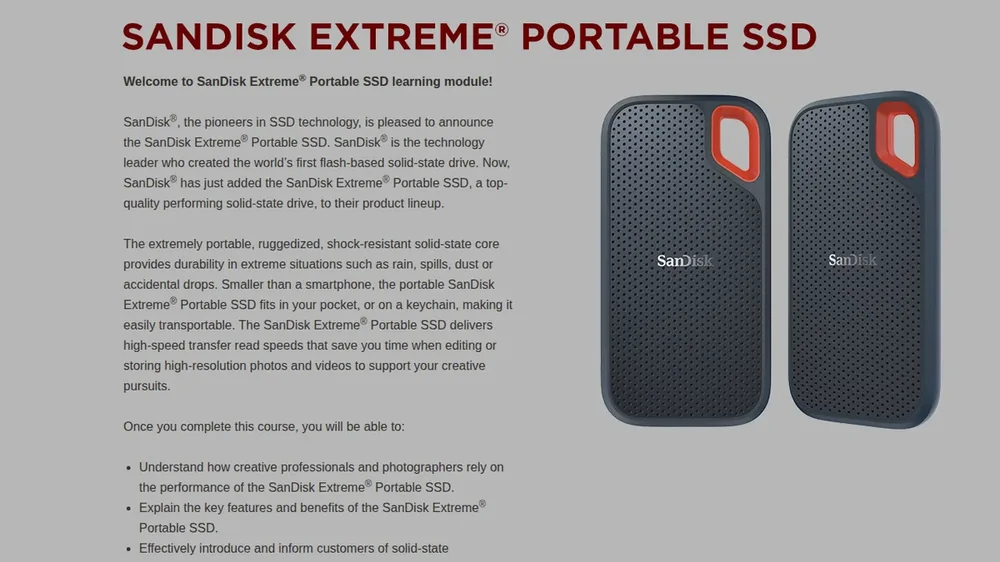
Product training on a rugged pocket-size SSD for photographers and creators on the go: speed, durability, key features, video and a quiz.

SanDisk Extreme microSD Cards course title screen Launch course

SanDisk Extreme microSD Cards (opens in a new tab)

Product training on A2-rated microSD cards for drones, action cameras and phones: 4K recording, app performance, videos and a quiz.

← All brands

WD products courses

Western Digital Products · 44 courses

WD ReadyView Surveillance System course title screen Launch course

WD ReadyView Surveillance System (opens in a new tab)

Retail training on an all-in-one HD surveillance bundle: specs, setup, customer scenarios, video and a scored quiz.

My Cloud Home (French) course title screen Launch course

My Cloud Home (French) (opens in a new tab)

French-language product training on personal cloud storage: how My Cloud Home works, key features and which customers it suits.

WD and the Modern Datacenter course title screen Launch course

WD and the Modern Datacenter (opens in a new tab)

How datacenters work and where WD Re, Se and Ae drives fit: a sales-ready tour of capacity, workload and efficiency, with a 5-minute video.

My Passport Wireless SSD course title screen Launch course

My Passport Wireless SSD (opens in a new tab)

Product training for selling a laptop-free backup drive to photographers and drone pilots, with matching activities, video and a quiz.

WD easystore Portable and Desktop Storage course title screen Launch course

WD easystore Portable and Desktop Storage (opens in a new tab)

Retail product training on simple backup drives for photos, videos and music: who buys them, key features and a quiz.

My Passport AV-TV course title screen Launch course

My Passport AV-TV (opens in a new tab)

Product training on a drive that adds HD recording and playback storage to TVs: ideal customers, key benefits, a confidence check and a two-try quiz.

WD Green, WD Blue and WD Black SSDs course title screen Launch course

WD Green, WD Blue and WD Black SSDs (opens in a new tab)

Sales training on a three-tier SSD family: the market opportunity, SATA vs NVMe, matching each drive to the customer, and a quiz.

Upgrade Your Storage course title screen Launch course

Upgrade Your Storage (opens in a new tab)

Retail training on recommending storage upgrades, from portable drives to network storage: who benefits, how to choose, and a quiz.

WD 8TB Helium-Sealed Drives course title screen Launch course

WD 8TB Helium-Sealed Drives (opens in a new tab)

Product training on helium-sealed hard drives: how the technology works, why it lifts capacity and cuts power, and a quiz.

Adding HDD Value to SSD course title screen Launch course

Adding HDD Value to SSD (opens in a new tab)

Sales training on pairing hard drives with SSD-only systems: capacity, cost and reliability arguments, and a quiz.

Introduction to WD Gold course title screen Launch course

Introduction to WD Gold (opens in a new tab)

Product training on enterprise-class hard drives for datacenters: the data explosion, reliability features, ideal customers and a quiz.

Introduction to My Cloud Pro Series course title screen Launch course

Introduction to My Cloud Pro Series (opens in a new tab)

Product training on network-attached storage for creative pros: how NAS works, key features, matching customers to models, and a quiz.

WD My Cloud EX2 Ultra (Spanish) course title screen Launch course

WD My Cloud EX2 Ultra (Spanish) (opens in a new tab)

Spanish-language product training on a two-bay NAS for homes and small offices: features, apps, ideal customers and a quiz.

My Passport Wireless Pro (Japanese) course title screen Launch course

My Passport Wireless Pro (Japanese) (opens in a new tab)

Japanese-language product training on a wireless drive for photographers and videographers: offloading, streaming, video and a quiz.

Desktop Drives vs. Surveillance Drives course title screen Launch course

Desktop Drives vs. Surveillance Drives (opens in a new tab)

Product training on WD Purple surveillance drives: why 24/7 video recording needs purpose-built drives, a comparison table, video and a quiz.

My Cloud Mirror course title screen Launch course

My Cloud Mirror (opens in a new tab)

Product training on a two-drive personal cloud with mirrored protection: remote access, key features, ideal customers, video and a quiz.

Milestone ARCUS Video Surveillance (Spanish) course title screen Launch course

Milestone ARCUS Video Surveillance (Spanish) (opens in a new tab)

Latin American Spanish training on WD NAS systems running Milestone ARCUS surveillance software for homes and small businesses, with video and a quiz.

Introduction to My Cloud OS 3 (Portuguese) course title screen Launch course

Introduction to My Cloud OS 3 (Portuguese) (opens in a new tab)

Brazilian Portuguese training on the My Cloud OS 3 personal cloud dashboard: access anywhere, new features, video and a quiz.

My Passport and My Passport for Mac course title screen Launch course

My Passport and My Passport for Mac (opens in a new tab)

Product training on slim USB 3.0 portable drives for PC and Mac: who buys them, key features, video and a quiz.

My Book course title screen Launch course

My Book (opens in a new tab)

Product training on high-capacity desktop storage with password protection and backup: ideal customers, key benefits, video and a quiz.

Introduction to WD Blue SSD course title screen Launch course

Introduction to WD Blue SSD (opens in a new tab)

Product training on mainstream SSDs that speed up everyday PCs: performance, reliability, ideal customers, video and a quiz.

Introduction to WD Green SSD course title screen Launch course

Introduction to WD Green SSD (opens in a new tab)

Product training on entry-level SSDs for laptops and desktops: speed, low power use, form factors, ideal customers and a quiz.

SSD 102 Advanced Training course title screen Launch course

SSD 102 Advanced Training (opens in a new tab)

Part two of an SSD technology series: how flash technology affects performance, reliability and lifespan, with a quiz.

SSD 101 Training (Spanish) course title screen Launch course

SSD 101 Training (Spanish) (opens in a new tab)

Latin American Spanish SSD fundamentals: the anatomy of a solid-state drive, SLC vs. MLC vs. TLC flash, and a quiz. Part one of a two-part series.

WD Black PCIe SSD course title screen Launch course

WD Black PCIe SSD (opens in a new tab)

Product training on a high-performance PCIe SSD: how it outpaces SATA SSDs, key components and technology, ideal customers and a quiz.

My Passport SSD course title screen Launch course

My Passport SSD (opens in a new tab)

Product training on WD's first portable SSD: speed, password protection and hardware encryption, ideal customers, video and a quiz.

WD Red NAS Hard Drives course title screen Launch course

WD Red NAS Hard Drives (opens in a new tab)

Product training on hard drives built for 1- to 8-bay NAS systems: how they differ from desktop drives, key benefits, video and a quiz.

How to Sell WD Red course title screen Launch course

How to Sell WD Red (opens in a new tab)

Sales training on WD Red drives for NAS systems: assessing customer needs, handling objections and recommending the right drive, with video and a quiz.

My Passport Ultra course title screen Launch course

My Passport Ultra (opens in a new tab)

Product training on a stylish metal-finish portable drive: backup and password protection, ideal customers, video and a quiz.

My Cloud Home and My Cloud Home Duo course title screen Launch course

My Cloud Home and My Cloud Home Duo (opens in a new tab)

Product training on personal cloud storage that plugs into a home Wi-Fi router: access anywhere, Duo mirroring, ideal customers, video and a quiz.

My Book Duo course title screen Launch course

My Book Duo (opens in a new tab)

Product training on dual-drive desktop RAID storage: massive capacity, backup and protection, ideal customers, video and a quiz.

WD Blue 3D NAND SATA SSD (Traditional Chinese) course title screen Launch course

WD Blue 3D NAND SATA SSD (Traditional Chinese) (opens in a new tab)

Traditional Chinese product training on a 3D NAND SATA SSD: capacity, reliability, low power use, ideal customers and a quiz.

My Cloud Expert Series EX2100 and EX4100 course title screen Launch course

My Cloud Expert Series EX2100 and EX4100 (opens in a new tab)

Product training on 2-bay and 4-bay NAS for creative professionals and tech experts: NAS and cloud basics, features, customer fit and a quiz.

Small Business Solutions Selling course title screen Launch course

Small Business Solutions Selling (opens in a new tab)

Sales training on cloud and NAS storage for small businesses: data-storage concepts, what owners look for, assessing their needs and a quiz.

WD NAS Product Family course title screen Launch course

WD NAS Product Family (opens in a new tab)

Product training on WD network attached storage from home power users to SMBs: NAS concepts, the product family, recommending the right fit and a quiz.

WD My Passport X course title screen Launch course

WD My Passport X (opens in a new tab)

Product training on portable storage for PC and Xbox One gamers: gaming storage limits, how the drive solves them, and a quiz.

My Passport for Mac (USB 3.0) course title screen Launch course

My Passport for Mac (USB 3.0) (opens in a new tab)

Product training on a slim USB 3.0 drive with Time Machine support and hardware encryption: who buys it, key features and a quiz.

WD Blue SSHD course title screen Launch course

WD Blue SSHD (opens in a new tab)

Product training on solid state hybrid drives that pair NAND flash with HDD capacity: performance benefits, ideal customers and a quiz.

My Passport Cinema course title screen Launch course

My Passport Cinema (opens in a new tab)

Product training on portable 4K Ultra HD storage preloaded with movies for Smart TVs: how it works, who it suits and a quiz.

My Cloud OS 3 Third-Party Apps course title screen Launch course

My Cloud OS 3 Third-Party Apps (opens in a new tab)

Product training on extending My Cloud NAS with third-party apps such as Plex and Acronis: what they add, customer fit and a quiz.

WD Blue course title screen Launch course

WD Blue (opens in a new tab)

Product training on everyday desktop and notebook hard drives: features, capacities and interfaces, matching customer needs and a quiz.

My Passport Ultra Metal Edition course title screen Launch course

My Passport Ultra Metal Edition (opens in a new tab)

Product training on a stylish, high-capacity portable drive: who it is for, features and benefits, and a quiz.

My Passport Go course title screen Launch course

My Passport Go (opens in a new tab)

Product training on a rugged pocket-size portable SSD: why customers rely on it, features and benefits, recommending portable storage and a quiz.

WD Purple microSD Card course title screen Launch course

WD Purple microSD Card (opens in a new tab)

Product training on endurance microSD cards for surveillance cameras: on-camera storage, protecting footage, ideal customers, video and a quiz.

← All brands

G-Technology courses

Western Digital · 8 courses

G-RAID with Thunderbolt 3 course title screen Launch course

G-RAID with Thunderbolt 3 (opens in a new tab)

Responsive product training for channel and retail reps: features, who buys it, how to qualify the customer, and a scored quiz.

G-DRIVE mobile SSD R-Series course title screen Launch course

G-DRIVE mobile SSD R-Series (opens in a new tab)

Product training on rugged portable storage for creative pros: features, use cases, customer fit, video and a scored quiz.

G-DRIVE mobile Pro SSD course title screen Launch course

G-DRIVE mobile Pro SSD (opens in a new tab)

Product training on Thunderbolt 3 pro SSD storage for fast-turnaround video workflows: features, workflow benefits, video and a scored quiz.

G-SPEED Shuttle XL with Thunderbolt 3 course title screen Launch course

G-SPEED Shuttle XL with Thunderbolt 3 (opens in a new tab)

Product training on an eight-bay portable RAID for on-location 8K and HD production: features, use cases, video and a scored quiz.

G-DRIVE with Thunderbolt 3 course title screen Launch course

G-DRIVE with Thunderbolt 3 (opens in a new tab)

Product training on an enterprise-class desktop drive for audio, video and photo pros: benefits, customer fit, video and a scored quiz.

G-DRIVE ev RaW SSD course title screen Launch course

G-DRIVE ev RaW SSD (opens in a new tab)

Product training on a rugged, lightweight SSD for creatives on the go: why pros choose it, who it fits, and a scored quiz.

G-Technology ev Series Workflow course title screen Launch course

G-Technology ev Series Workflow (opens in a new tab)

Solution training on capture-to-post media workflows across the ev Series ecosystem, with a customer video and a scored quiz.

Intro to High-Speed Connectivity course title screen Launch course

Intro to High-Speed Connectivity (opens in a new tab)

Foundational training on bus architecture and USB and Thunderbolt interfaces, and how G-Technology storage uses them.

← All brands

Western Digital corporate courses

Western Digital Corporate · 4 courses

← All brands

Microsoft courses

Microsoft · 222 courses

Browse by
← Microsoft

Microsoft Office courses

Microsoft Office · 45 courses

Browse by
Using Office with Touch course title screen Launch course

Using Office with Touch (opens in a new tab)

Shows associates how the new Office responds to touch, from Touch Mode grab handles to pinch and swipe.

Office University 2010 course title screen Launch course

Office University 2010 (opens in a new tab)

Qualifying university students and faculty for Office University, from proof of status to customer verification.

Microsoft Publisher 2010 course title screen Launch course

Microsoft Publisher 2010 (opens in a new tab)

Helps associates recommend and sell Publisher 2010 to home users, home-based businesses and small businesses.

Office 2010 Technology Guarantee course title screen Launch course

Office 2010 Technology Guarantee (opens in a new tab)

The Office 2010 Technology Guarantee program and how customers qualify.

Office 2007 Small Business Upsell course title screen Launch course

Office 2007 Small Business Upsell (opens in a new tab)

Upselling small-business customers to Office 2007 Professional.

Attaching Office 2007 to Every PC Sale, Part 2 course title screen Launch course

Attaching Office 2007 to Every PC Sale, Part 2 (opens in a new tab)

Techniques for attaching Office 2007 to every PC sale.

Open License Overview course title screen Launch course

Open License Overview (opens in a new tab)

Volume licensing options and benefits for small and midsize businesses.

Software Assurance Overview course title screen Launch course

Software Assurance Overview (opens in a new tab)

Microsoft's Software Assurance maintenance and warranty program.

Identifying Volume Licensing Opportunities course title screen Launch course

Identifying Volume Licensing Opportunities (opens in a new tab)

Advising business customers on the most cost-effective way to license Microsoft software.

Office 2010 for Small Businesses course title screen Launch course

Office 2010 for Small Businesses (opens in a new tab)

The Office 2010 suites for small businesses and how to recommend them.

Supporting SMB Buying Needs course title screen Launch course

Supporting SMB Buying Needs (opens in a new tab)

Research-based guidance on how small businesses buy and what they need.

Introduction to Point of Sale Activation course title screen Launch course

Introduction to Point of Sale Activation (opens in a new tab)

How POSA packaging for Office and Windows works and what customers need to know.

Office 2010 Back to School Promotion course title screen Launch course

Office 2010 Back to School Promotion (opens in a new tab)

The Office 2010 back-to-school offer for college students.

Key Office 2010 Features for Students course title screen Launch course

Key Office 2010 Features for Students (opens in a new tab)

The Office 2010 features that matter most to students.

Product Key Card Returns course title screen Launch course

Product Key Card Returns (opens in a new tab)

How Office product key card packaging, transfers and returns work.

Outlook Upsell course title screen Launch course

Outlook Upsell (opens in a new tab)

Upselling customers to an Office 2010 suite that includes Outlook.

Upselling to Office on Preloaded PCs course title screen Launch course

Upselling to Office on Preloaded PCs (opens in a new tab)

Activating product key cards and upselling from Office Starter on preloaded PCs.

Selling Office 2010 (Advanced) course title screen Launch course

Selling Office 2010 (Advanced) (opens in a new tab)

A five-step selling process for Office 2010, with practice scenarios.

Office 2010 Applications course title screen Launch course

Office 2010 Applications (opens in a new tab)

The Office 2010 applications and what each one does for customers.

Recommending the Right Office 2010 Suite course title screen Launch course

Recommending the Right Office 2010 Suite (opens in a new tab)

Matching customers to the right suite in the three-suite Office 2010 lineup.

Why Customers Should Buy Office 2010 course title screen Launch course

Why Customers Should Buy Office 2010 (opens in a new tab)

Reasons to recommend Office 2010 and the best times to sell it.

The Right Way to Sell Office 2010 course title screen Launch course

The Right Way to Sell Office 2010 (opens in a new tab)

A research-based approach to selling Office 2010.

Why Upgrade to Office 2010 course title screen Launch course

Why Upgrade to Office 2010 (opens in a new tab)

Convincing customers on Office 2003 or 2007 that it's time to upgrade.

Microsoft Office Pre-Launch Offer course title screen Launch course

Microsoft Office Pre-Launch Offer (opens in a new tab)

How the pre-launch offer for the next version of Office works.

Meet the New Office course title screen Launch course

Meet the New Office (opens in a new tab)

Office 2013 series: introducing the new, cloud-connected Office.

Introducing Office 365 course title screen Launch course

Introducing Office 365 (opens in a new tab)

Office 2013 series: the Office 365 plans for home, university and small business.

Meet the Office Suites course title screen Launch course

Meet the Office Suites (opens in a new tab)

Office 2013 series: the new Office suites for one PC.

Get to Know Office 365 Home Premium course title screen Launch course

Get to Know Office 365 Home Premium (opens in a new tab)

Office 2013 series: what's included in Office 365 Home Premium and the customer experience.

Recommend the Right Office course title screen Launch course

Recommend the Right Office (opens in a new tab)

Office 2013 series: four customer scenarios for choosing the right Office.

Meet Word 2013 course title screen Launch course

Meet Word 2013 (opens in a new tab)

Office 2013 series: the top new features in Word 2013.

Meet Excel 2013 course title screen Launch course

Meet Excel 2013 (opens in a new tab)

Office 2013 series: the top new features in Excel 2013.

Meet PowerPoint 2013 course title screen Launch course

Meet PowerPoint 2013 (opens in a new tab)

Office 2013 series: the top new features in PowerPoint 2013.

Meet Outlook 2013 course title screen Launch course

Meet Outlook 2013 (opens in a new tab)

Office 2013 series: the top new features in Outlook 2013.

Meet OneNote 2013 course title screen Launch course

Meet OneNote 2013 (opens in a new tab)

Office 2013 series: the top new features in OneNote 2013.

Selling Microsoft Office course title screen Launch course

Selling Microsoft Office (opens in a new tab)

Office 2013 series: four steps to selling the new Office.

Getting Started with Microsoft Office course title screen Launch course

Getting Started with Microsoft Office (opens in a new tab)

Office 2013 series: the four steps customers take to install and start using Office.

Office 365 Basics for Syndicators course title screen Launch course

Office 365 Basics for Syndicators (opens in a new tab)

How Office 365 works and its top selling points, for syndication partners.

Selling Office 365 for Syndicators course title screen Launch course

Selling Office 365 for Syndicators (opens in a new tab)

The critical steps to selling Office 365, for syndication partners.

Office 365 Syndication Assessment course title screen Launch course

Office 365 Syndication Assessment (opens in a new tab)

Accreditation assessment for Office 365 syndication associates.

Meet Microsoft Office 365 University course title screen Launch course

Meet Microsoft Office 365 University (opens in a new tab)

The four-year Office 365 University subscription for students, faculty and staff (Storyline).

Meet Office 365 Small Business Premium course title screen Launch course

Meet Office 365 Small Business Premium (opens in a new tab)

What's included in Office 365 Small Business Premium and how it compares.

Selling Office to Small Businesses course title screen Launch course

Selling Office to Small Businesses (opens in a new tab)

Four steps to selling Office to small-business customers.

Getting Started with Office 365 Small Business Premium course title screen Launch course

Getting Started with Office 365 Small Business Premium (opens in a new tab)

Administrator and end-user setup for Office 365 Small Business Premium.

Retail Sales Associate Accreditation Assessment for Office course title screen Launch course

Retail Sales Associate Accreditation Assessment for Office (opens in a new tab)

Accreditation assessment on the top things retail associates should know about Office.

Office Web Apps course title screen Launch course

Office Web Apps (opens in a new tab)

What Office Web Apps are and how customers can use them with SkyDrive.

← Microsoft

Microsoft Hardware & Windows Phone courses

Microsoft Hardware & Windows Phone · 33 courses

Browse by
Microsoft Hardware: Sculpt Comfort course title screen Launch course

Microsoft Hardware: Sculpt Comfort (opens in a new tab)

Ergonomic hardware training built for retail associates.

Microsoft Touch Mouse course title screen Launch course

Microsoft Touch Mouse (opens in a new tab)

Retail training on the multi-touch mouse for Windows 7 PCs, with five short gesture demo videos and a quiz.

Windows 8 Hardware: Wedge & Sculpt course title screen Launch course

Windows 8 Hardware: Wedge & Sculpt (opens in a new tab)

Introduces the Wedge and Sculpt families of mice and keyboards designed for Windows 8 and Windows RT.

Wedge Know & Show course title screen Launch course

Wedge Know & Show (opens in a new tab)

Step-by-step Know & Show practice for demonstrating the Wedge Mobile Keyboard and Touch Mouse to customers.

Sculpt Know & Show course title screen Launch course

Sculpt Know & Show (opens in a new tab)

Know & Show practice for the Sculpt mice and keyboards: comfort, Bluetooth connectivity and Backpack Mode.

Wedge & Sculpt Selling Scenarios course title screen Launch course

Wedge & Sculpt Selling Scenarios (opens in a new tab)

Scenario practice for matching customers buying a new PC or tablet with the right Wedge or Sculpt hardware.

Windows Phone 7: 6 Hubs course title screen Launch course

Windows Phone 7: 6 Hubs (opens in a new tab)

A tour of the six Windows Phone 7 hubs, from People and Pictures to Office, and how to show them to customers.

Microsoft Sculpt Products course title screen Launch course

Microsoft Sculpt Products (opens in a new tab)

Know-and-show training on the Sculpt mouse and keyboard family, explaining how each feature benefits customers.

Xbox LIVE on Windows Phone 7 course title screen Launch course

Xbox LIVE on Windows Phone 7 (opens in a new tab)

How Xbox LIVE games and avatars work on Windows Phone 7.

Microsoft Hardware and Netbooks course title screen Launch course

Microsoft Hardware and Netbooks (opens in a new tab)

Recommending Microsoft mice and keyboards with netbook sales.

Wireless Mobile Mouse 4000 course title screen Launch course

Wireless Mobile Mouse 4000 (opens in a new tab)

Recommending the Wireless Mobile Mouse 4000 to customers who want style and portability.

Attaching Microsoft Hardware to Netbook Sales course title screen Launch course

Attaching Microsoft Hardware to Netbook Sales (opens in a new tab)

Why netbook buyers need a mouse and keyboard, and how to attach them.

Microsoft Arc Mouse and Keyboard course title screen Launch course

Microsoft Arc Mouse and Keyboard (opens in a new tab)

The Arc Mouse and Arc Keyboard, where fashion meets mobile performance.

Wireless Mobile Mouse 3500 course title screen Launch course

Wireless Mobile Mouse 3500 (opens in a new tab)

Selling the Wireless Mobile Mouse 3500.

Recommending BlueTrack Technology course title screen Launch course

Recommending BlueTrack Technology (opens in a new tab)

Recommending mice with BlueTrack Technology for working beyond the desk.

Value Mice course title screen Launch course

Value Mice (opens in a new tab)

Microsoft's range of affordable, reliable mice for every lifestyle.

Microsoft Hardware and Windows 7 course title screen Launch course

Microsoft Hardware and Windows 7 (opens in a new tab)

How Microsoft mice and keyboards work with Windows 7 features.

Arc Touch Mouse and Arc Keyboard course title screen Launch course

Arc Touch Mouse and Arc Keyboard (opens in a new tab)

The Arc Touch Mouse and Arc Keyboard, inspired by fashion and automotive design.

Recommending Touch Mouse Products course title screen Launch course

Recommending Touch Mouse Products (opens in a new tab)

Recommending the right Microsoft touch mouse.

Why Sell Microsoft Hardware: Introduction course title screen Launch course

Why Sell Microsoft Hardware: Introduction (opens in a new tab)

Why touch-capable Microsoft mice make Windows 7 PCs easier and more fun.

Why Sell Microsoft Hardware: Advanced course title screen Launch course

Why Sell Microsoft Hardware: Advanced (opens in a new tab)

Why and how customers shop for hardware, and how to meet them there.

LifeCam HD and TrueColor Technology course title screen Launch course

LifeCam HD and TrueColor Technology (opens in a new tab)

How LifeCam HD webcams use TrueColor Technology for clear video in any light.

Microsoft Hardware: Looks Different, Feels Amazing course title screen Launch course

Microsoft Hardware: Looks Different, Feels Amazing (opens in a new tab)

Selling comfort: why ergonomic Microsoft mice and keyboards suit new PC and tablet buyers (Storyline).

Surface Family Training course title screen Launch course

Surface Family Training (opens in a new tab)

Combined Surface training: Surface RT, Surface Pro, accessories, selling and assessment.

Windows Phone 7: Out of the Box Experience course title screen Launch course

Windows Phone 7: Out of the Box Experience (opens in a new tab)

Helping customers set up a new Windows Phone 7 and continue setup on a PC.

Windows Phone 7: A Different Kind of Phone course title screen Launch course

Windows Phone 7: A Different Kind of Phone (opens in a new tab)

Demonstration tips that show how Windows Phone 7 is different.

Windows Phone 7: Pictures course title screen Launch course

Windows Phone 7: Pictures (opens in a new tab)

The Pictures hub and camera features of Windows Phone 7.

Windows Phone 7: Apps Like You've Never Seen Them course title screen Launch course

Windows Phone 7: Apps Like You've Never Seen Them (opens in a new tab)

Showing customers Windows Phone 7 apps and Live Tiles.

Windows Phone 7: The Gaming Experience course title screen Launch course

Windows Phone 7: The Gaming Experience (opens in a new tab)

Xbox LIVE gaming on Windows Phone 7.

Windows Phone 7: The Only Phone with Office course title screen Launch course

Windows Phone 7: The Only Phone with Office (opens in a new tab)

Office Mobile, email and documents on Windows Phone 7.

Light Up Your Phone course title screen Launch course

Light Up Your Phone (opens in a new tab)

Why customers should set up a Windows Live ID to light up their Windows Phone.

Windows Phone 7.5: Putting People First course title screen Launch course

Windows Phone 7.5: Putting People First (opens in a new tab)

How Windows Phone 7.5 keeps customers connected with family and friends.

Selling Windows Phone 7.5 with Office 365 course title screen Launch course

Selling Windows Phone 7.5 with Office 365 (opens in a new tab)

Selling Windows Phone 7.5 to small businesses alongside Office 365.

← Microsoft

Windows & Internet Explorer courses

Windows & Internet Explorer · 26 courses

Browse by
Internet Explorer 9 Performance & Pinning Demo course title screen Launch course

Internet Explorer 9 Performance & Pinning Demo (opens in a new tab)

Teaches associates to demo Internet Explorer 9 speed and site pinning on in-store PCs, with a drag-and-drop quiz.

Recommending Windows 7 to Small Business Customers course title screen Launch course

Recommending Windows 7 to Small Business Customers (opens in a new tab)

Comparing Windows 7 editions for small-business customers and selling up.

Selling Windows 7 course title screen Launch course

Selling Windows 7 (opens in a new tab)

Qualifying customers and matching them to a premium edition of Windows 7.

Comparing Windows 7, Windows XP and Windows Vista course title screen Launch course

Comparing Windows 7, Windows XP and Windows Vista (opens in a new tab)

How Windows 7 improves on Windows XP and Windows Vista.

Windows Media Center in Windows 7 course title screen Launch course

Windows Media Center in Windows 7 (opens in a new tab)

Showing customers Windows Media Center in Windows 7.

Windows Live and Windows 7 course title screen Launch course

Windows Live and Windows 7 (opens in a new tab)

How Windows Live services work with Windows 7.

Comparing Windows 7 to Macs course title screen Launch course

Comparing Windows 7 to Macs (opens in a new tab)

Helping customers compare Windows 7 PCs with Macs.

Windows 7 Essentials course title screen Launch course

Windows 7 Essentials (opens in a new tab)

Key Windows 7 features and choosing the right edition.

Why Sell Windows 7 course title screen Launch course

Why Sell Windows 7 (opens in a new tab)

Feature comparisons, Windows Live Essentials and PC advantages to share with customers.

Windows Anytime Upgrade course title screen Launch course

Windows Anytime Upgrade (opens in a new tab)

Upgrading customers to a higher Windows 7 edition with Windows Anytime Upgrade.

Windows 7 Professional course title screen Launch course

Windows 7 Professional (opens in a new tab)

Benefits of Windows 7 Professional and how to spot the customers who need it.

Windows 7 and the Personal Cloud course title screen Launch course

Windows 7 and the Personal Cloud (opens in a new tab)

Windows Live online services and Essentials 2011 as the personal cloud.

Microsoft Security Essentials course title screen Launch course

Microsoft Security Essentials (opens in a new tab)

Introducing Microsoft Security Essentials to PC buyers.

How to Sell Windows 7 course title screen Launch course

How to Sell Windows 7 (opens in a new tab)

Qualifying customers, comparing editions and upgrade options for Windows 7.

Windows 7: Mastering the Essentials course title screen Launch course

Windows 7: Mastering the Essentials (opens in a new tab)

An interactive tour of Windows 7 editions and key features.

Why Windows 7 PCs course title screen Launch course

Why Windows 7 PCs (opens in a new tab)

Why customers get more from a Windows 7 PC.

Selling Companion PCs course title screen Launch course

Selling Companion PCs (opens in a new tab)

Selling a second, companion Windows PC alongside a main computer.

Selling During the Back to School Season course title screen Launch course

Selling During the Back to School Season (opens in a new tab)

Selling Windows PCs during the back-to-school season.

Windows 7 PCs and Internet Explorer 9 course title screen Launch course

Windows 7 PCs and Internet Explorer 9 (opens in a new tab)

The value Internet Explorer 9 adds to a Windows 7 PC sale.

PC Compare Tool course title screen Launch course

PC Compare Tool (opens in a new tab)

Using the PC Compare Tool to compare Windows 7 PCs with competing devices.

Communicate Effortlessly with Windows 7 course title screen Launch course

Communicate Effortlessly with Windows 7 (opens in a new tab)

Demo Expert series: Messenger and Hotmail on Windows 7.

Effortless Access with Windows 7 course title screen Launch course

Effortless Access with Windows 7 (opens in a new tab)

Demo Expert series: navigation, search, multi-touch and Live Mesh.

Customize Your Entertainment in Windows 7 course title screen Launch course

Customize Your Entertainment in Windows 7 (opens in a new tab)

Demo Expert series: Internet Explorer 9 and the Zune music service.

Make Memories into Masterpieces with Windows 7 course title screen Launch course

Make Memories into Masterpieces with Windows 7 (opens in a new tab)

Demo Expert series: Windows Live Movie Maker and Photo Gallery.

Windows Upgrade Offer course title screen Launch course

Windows Upgrade Offer (opens in a new tab)

The limited-time Windows upgrade offer for new Windows 7 PC buyers.

Introducing Activation course title screen Launch course

Introducing Activation (opens in a new tab)

Why and how customers activate a genuine copy of Windows 8.

← Microsoft

Office for Mac courses

Office for Mac · 11 courses

Browse by
Office for Mac 2011 Sales Scenarios course title screen Launch course

Office for Mac 2011 Sales Scenarios (opens in a new tab)

Scenario-based practice matching Office for Mac to real customer needs.

Selling Office for Mac 2011 course title screen Launch course

Selling Office for Mac 2011 (opens in a new tab)

Sales training on when and how to sell Office for Mac 2011 to new Mac buyers and upgrading customers, with activities and a quiz.

Office 2008 for Mac Technology Guarantee course title screen Launch course

Office 2008 for Mac Technology Guarantee (opens in a new tab)

How the Office 2008 for Mac Technology Guarantee works and who is eligible.

Office for Mac 2011: What's New course title screen Launch course

Office for Mac 2011: What's New (opens in a new tab)

New features in Office for Mac 2011, from Outlook to coauthoring and Web Apps.

Office for Mac 2011: How to Sell course title screen Launch course

Office for Mac 2011: How to Sell (opens in a new tab)

Selling tips and edition comparisons for Office for Mac 2011.

Office for Mac 2011 Scenario Demos course title screen Launch course

Office for Mac 2011 Scenario Demos (opens in a new tab)

Home, school and business demo scenarios for Office for Mac 2011.

Office for Mac 2011 for Small Businesses course title screen Launch course

Office for Mac 2011 for Small Businesses (opens in a new tab)

Selling Office for Mac Home and Business 2011 to small-business customers.

Office for Mac 2011 Back to School course title screen Launch course

Office for Mac 2011 Back to School (opens in a new tab)

Back-to-school selling for Office for Mac 2011 editions.

Office for Mac 2011 Essentials course title screen Launch course

Office for Mac 2011 Essentials (opens in a new tab)

Office for Mac 2011 editions and core features.

Office for Mac Essentials course title screen Launch course

Office for Mac Essentials (opens in a new tab)

Helping Mac customers choose the right Office, with core and app-specific features.

Selling Microsoft Office for Mac course title screen Launch course

Selling Microsoft Office for Mac (opens in a new tab)

Four steps to selling Office to Mac customers.

← Microsoft

Xbox courses

Xbox · 98 courses

Browse by
Kung Fu Panda 2 for Xbox 360 + Kinect course title screen Launch course

Kung Fu Panda 2 for Xbox 360 + Kinect (opens in a new tab)

Game-launch training that equips retail associates to demo and sell a new Kinect title.

Xbox 360 + Kinect: Total Entertainment course title screen Launch course

Xbox 360 + Kinect: Total Entertainment (opens in a new tab)

Covers the Xbox 360 console, Kinect, games, Xbox LIVE and accessories as a complete entertainment system.

Xbox 360: More Than Games course title screen Launch course

Xbox 360: More Than Games (opens in a new tab)

Shows associates how Xbox LIVE Gold, apps, the TV experience and Zune Music + Video make Xbox 360 more than a game console.

Halo 4: Mission 3 course title screen Launch course

Halo 4: Mission 3 (opens in a new tab)

Game-launch training for Halo 4: the story, War Games and Spartan Ops, with a trailer and screenshot gallery.

Gears of War 3: Season Pass Elite Training course title screen Launch course

Gears of War 3: Season Pass Elite Training (opens in a new tab)

Explains the Gears of War 3 Season Pass and its downloadable content so associates can add it to the sale.

Battlefield 3 for Xbox 360 course title screen Launch course

Battlefield 3 for Xbox 360 (opens in a new tab)

Game-launch training on Battlefield 3: Frostbite 2, vehicle warfare, Xbox LIVE multiplayer and how to sell it.

FIFA Soccer 12 for Xbox 360 course title screen Launch course

FIFA Soccer 12 for Xbox 360 (opens in a new tab)

Covers what is new in FIFA Soccer 12, from the Player Impact Engine to tactical defending, and how to sell it.

Forza Motorsport 4 course title screen Launch course

Forza Motorsport 4 (opens in a new tab)

Game-launch training for Forza Motorsport 4 on Xbox 360, opening with the launch trailer.

The Elder Scrolls V: Skyrim course title screen Launch course

The Elder Scrolls V: Skyrim (opens in a new tab)

Game-launch training on Skyrim for Xbox 360: open-world play, dragons, Xbox LIVE and selling points, with the trailer.

Kinect Star Wars course title screen Launch course

Kinect Star Wars (opens in a new tab)

Training on Kinect Star Wars for Xbox 360: using the Force, Jedi training, co-op play and the limited-edition bundle.

Kinect Rush: A Disney•Pixar Adventure course title screen Launch course

Kinect Rush: A Disney•Pixar Adventure (opens in a new tab)

Shows how Kinect Rush drops players into five Pixar worlds, with the trailer, a screenshot gallery and a quiz.

Kinectimals Now with Bears! course title screen Launch course

Kinectimals Now with Bears! (opens in a new tab)

Family-game training on choosing a pet, exploring the island and taking Kinectimals on the go, with screenshot galleries.

Carnival Games: Monkey See, Monkey Do course title screen Launch course

Carnival Games: Monkey See, Monkey Do (opens in a new tab)

Family-game training on Carnival Games for Kinect: multiplayer games, attractions, the trailer and a screenshot gallery.

Sesame Street: Once Upon a Monster course title screen Launch course

Sesame Street: Once Upon a Monster (opens in a new tab)

Training on the Sesame Street storybook game for Kinect: the characters, family play and selling points, with the trailer.

Zumba Fitness Rush course title screen Launch course

Zumba Fitness Rush (opens in a new tab)

Training on the Zumba Fitness sequel for Kinect: new routines, multiplayer and downloadable content, with a screenshot gallery.

Fable III course title screen Launch course

Fable III (opens in a new tab)

Game-launch training on Fable III's story, touch-based gameplay and selling points.

Mafia II course title screen Launch course

Mafia II (opens in a new tab)

Game-launch training on Mafia II's story, setting and features.

Xbox 360 Entertainment course title screen Launch course

Xbox 360 Entertainment (opens in a new tab)

Xbox 360's entertainment features, from video playback to music and social apps.

Setting Up Kinect course title screen Launch course

Setting Up Kinect (opens in a new tab)

How to set up Kinect for Xbox 360 and get the best play space for customers.

Kinect Games course title screen Launch course

Kinect Games (opens in a new tab)

Launch-lineup training on Kinect games and how to recommend them.

More Kinect Games course title screen Launch course

More Kinect Games (opens in a new tab)

Key features of the next wave of Kinect games and the customers they suit.

Xbox 360 Kiosk course title screen Launch course

Xbox 360 Kiosk (opens in a new tab)

Using the in-store Xbox 360 kiosk as a selling tool.

Fun on Xbox LIVE course title screen Launch course

Fun on Xbox LIVE (opens in a new tab)

Xbox LIVE's social and entertainment features, from Facebook and Twitter to video.

Call of Duty: Black Ops course title screen Launch course

Call of Duty: Black Ops (opens in a new tab)

Game-launch training on Call of Duty: Black Ops' campaign, multiplayer and exclusive content.

How to Demo Kinect course title screen Launch course

How to Demo Kinect (opens in a new tab)

Kinect demo training: running an in-store demo that lets customers experience Kinect.

Your Shape: Fitness Evolved course title screen Launch course

Your Shape: Fitness Evolved (opens in a new tab)

Game-launch training on Your Shape: Fitness Evolved and its body-scanning Kinect workouts.

Need for Speed: Hot Pursuit course title screen Launch course

Need for Speed: Hot Pursuit (opens in a new tab)

Key features of Need for Speed: Hot Pursuit and how to sell it.

Xbox 360 Platinum Hits course title screen Launch course

Xbox 360 Platinum Hits (opens in a new tab)

Selling the Xbox 360 Platinum Hits line of best-selling games.

Kinect: Fun That's Good for You course title screen Launch course

Kinect: Fun That's Good for You (opens in a new tab)

How Kinect gets the whole family moving, with the body-and-brain research behind it.

Body and Brain Connection course title screen Launch course

Body and Brain Connection (opens in a new tab)

Game training on Body and Brain Connection and the research behind active play.

Dance Central course title screen Launch course

Dance Central (opens in a new tab)

Game-launch training on Dance Central, the first full-body dance game for Kinect.

Gears of War 3: Mission 1 course title screen Launch course

Gears of War 3: Mission 1 (opens in a new tab)

Mission-based training reviewing the Gears of War story ahead of the Gears of War 3 launch.

Gears of War 3: Mission 2, Squad Training course title screen Launch course

Gears of War 3: Mission 2, Squad Training (opens in a new tab)

Gears of War 3 multiplayer modes, unlocks and maps, taught as a squad-training mission.

Gears of War 3: Mission 3, Battle Ready course title screen Launch course

Gears of War 3: Mission 3, Battle Ready (opens in a new tab)

Gears of War 3 campaign intel on teammates and enemies, taught as a mission briefing.

Homefront course title screen Launch course

Homefront (opens in a new tab)

Game-launch training on Homefront's story, multiplayer and selling points.

Kinect Games: Fun That Brings Everyone Together course title screen Launch course

Kinect Games: Fun That Brings Everyone Together (opens in a new tab)

Recommending Kinect games that get groups and families playing together.

Gearfest 2011: Xbox Accessories course title screen Launch course

Gearfest 2011: Xbox Accessories (opens in a new tab)

Promotion training on the Gearfest accessories lineup, including the transforming D-pad controller.

Age of Empires Online course title screen Launch course

Age of Empires Online (opens in a new tab)

Training on Age of Empires Online, the free-to-play PC strategy game.

Child of Eden course title screen Launch course

Child of Eden (opens in a new tab)

Game-launch training on Child of Eden, the multi-sensory music shooter for Kinect.

Halo: Combat Evolved Anniversary course title screen Launch course

Halo: Combat Evolved Anniversary (opens in a new tab)

Pre-order offers, remastered features and selling points for Halo: Combat Evolved Anniversary.

Kinect Key Games course title screen Launch course

Kinect Key Games (opens in a new tab)

The holiday's key Kinect titles, from Kinect Sports Season Two to Disneyland Adventures.

Kinect Sports: Season Two course title screen Launch course

Kinect Sports: Season Two (opens in a new tab)

The six new sports in Kinect Sports: Season Two and how to sell them.

Kinect Disneyland Adventures course title screen Launch course

Kinect Disneyland Adventures (opens in a new tab)

Exploring Disneyland park, attractions and characters in Kinect Disneyland Adventures.

Xbox LIVE: Entertainment Made Simple course title screen Launch course

Xbox LIVE: Entertainment Made Simple (opens in a new tab)

The new Xbox LIVE dashboard: Bing voice search, beacons, apps, video and TV.

UFC Personal Trainer course title screen Launch course

UFC Personal Trainer (opens in a new tab)

Selling UFC Personal Trainer, the mixed-martial-arts fitness game for Kinect.

Kinect Retail Experience Demo course title screen Launch course

Kinect Retail Experience Demo (opens in a new tab)

Using the unassisted Kinect demo kiosk to let customers try Kinect.

The Gunstringer course title screen Launch course

The Gunstringer (opens in a new tab)

Game-launch training on The Gunstringer, the first core-gamer Kinect title from Microsoft.

Attaching Xbox LIVE course title screen Launch course

Attaching Xbox LIVE (opens in a new tab)

How to attach Xbox LIVE Gold memberships to console, Kinect and game sales.

Madden NFL 12 course title screen Launch course

Madden NFL 12 (opens in a new tab)

Matching customer phrases to Madden NFL 12's features and selling points.

Rise of Nightmares course title screen Launch course

Rise of Nightmares (opens in a new tab)

Training on Rise of Nightmares, the first mature-rated core title for Kinect.

Call of Duty: Modern Warfare 3 course title screen Launch course

Call of Duty: Modern Warfare 3 (opens in a new tab)

Key features of Call of Duty: Modern Warfare 3 to excite customers at launch.

Kinect for the Core course title screen Launch course

Kinect for the Core (opens in a new tab)

Showing core gamers the Kinect titles and features built for them.

Your Shape: Fitness Evolved 2012 course title screen Launch course

Your Shape: Fitness Evolved 2012 (opens in a new tab)

Fitness activities, programs and social features in Your Shape: Fitness Evolved 2012.

NBA 2K12 course title screen Launch course

NBA 2K12 (opens in a new tab)

Game-launch training on NBA 2K12's NBA's Greatest mode and new features.

Mass Effect 3 course title screen Launch course

Mass Effect 3 (opens in a new tab)

Key features of Mass Effect 3 and why it's better with Kinect.

Gearfest 2012 course title screen Launch course

Gearfest 2012 (opens in a new tab)

Promotion training on the Gearfest 2012 accessories event.

Playful Learning course title screen Launch course

Playful Learning (opens in a new tab)

Educational Kinect titles that let kids learn through play.

Kinect Games: Get Fit, Have Fun! course title screen Launch course

Kinect Games: Get Fit, Have Fun! (opens in a new tab)

Recommending Kinect fitness games for a full-body workout.

Tiger Woods PGA TOUR 13 course title screen Launch course

Tiger Woods PGA TOUR 13 (opens in a new tab)

Game-launch training on Tiger Woods PGA TOUR 13 and its Kinect golf features.

Welcome the New Xbox 360 Accessories course title screen Launch course

Welcome the New Xbox 360 Accessories (opens in a new tab)

The new Xbox 360 accessories lineup, from the Wireless Speed Wheel up.

Xbox LIVE Electronic Sales Distribution course title screen Launch course

Xbox LIVE Electronic Sales Distribution (opens in a new tab)

Selling Xbox LIVE Gold and Microsoft Points as digital codes at the register.

Halo 4: Mission 1 course title screen Launch course

Halo 4: Mission 1 (opens in a new tab)

First in the Halo 4 mission series introducing the game's story and new trilogy.

Xbox LIVE Point of Sale Activation course title screen Launch course

Xbox LIVE Point of Sale Activation (opens in a new tab)

How point-of-sale activation (POSA) works and how it can grow store sales.

Dance Central 2 course title screen Launch course

Dance Central 2 (opens in a new tab)

Game-launch training on Dance Central 2's soundtrack, modes and multiplayer.

Halo 4: Mission 2 course title screen Launch course

Halo 4: Mission 2 (opens in a new tab)

Second Halo 4 mission course, preparing associates to make Halo 4 the holiday blockbuster.

Max Payne 3 course title screen Launch course

Max Payne 3 (opens in a new tab)

Game-launch training on Max Payne 3.

Dance Central 3 course title screen Launch course

Dance Central 3 (opens in a new tab)

Dance Central 3's new party mode and soundtrack, built on a mobile-friendly template.

Xbox LIVE Rewards course title screen Launch course

Xbox LIVE Rewards (opens in a new tab)

How the Xbox LIVE Rewards program works for members.

Fable: The Journey course title screen Launch course

Fable: The Journey (opens in a new tab)

Key in-game features of Fable: The Journey for Kinect.

Selling Xbox 360 Controllers & Remotes course title screen Launch course

Selling Xbox 360 Controllers & Remotes (opens in a new tab)

Recommending the right Xbox 360 controller or remote with every sale.

Selling Xbox 360 Batteries and Chargers course title screen Launch course

Selling Xbox 360 Batteries and Chargers (opens in a new tab)

Recommending Xbox 360 batteries and charging solutions.

Selling Xbox 360 Headsets and Communications course title screen Launch course

Selling Xbox 360 Headsets and Communications (opens in a new tab)

Recommending Xbox 360 headsets so customers can talk with friends on Xbox LIVE.

Selling Xbox 360 Networking and Cables course title screen Launch course

Selling Xbox 360 Networking and Cables (opens in a new tab)

Why networking and HD cables complete an Xbox 360 setup.

Nike+ Kinect Training course title screen Launch course

Nike+ Kinect Training (opens in a new tab)

Selling Nike+ Kinect Training's personal-trainer workouts and Nike+ integration.

Welcome to the Xbox 360 course title screen Launch course

Welcome to the Xbox 360 (opens in a new tab)

Xbox 2.0 curriculum: the Xbox 360 consoles and how to qualify customers.

Xbox LIVE Gold course title screen Launch course

Xbox LIVE Gold (opens in a new tab)

Xbox 2.0 curriculum: TV, sports, SmartGlass, music and apps on Xbox LIVE Gold.

Xbox 360 Accessories course title screen Launch course

Xbox 360 Accessories (opens in a new tab)

Xbox 2.0 curriculum: controllers, media remotes and accessory attach.

Telling the Complete Xbox 360 Story course title screen Launch course

Telling the Complete Xbox 360 Story (opens in a new tab)

Xbox 2.0 curriculum: bringing console, games, Kinect, Xbox LIVE and accessories together.

Using the Xbox Kiosk course title screen Launch course

Using the Xbox Kiosk (opens in a new tab)

Xbox 2.0 curriculum: using the Xbox kiosk along the customer journey.

Xbox LIVE Attach course title screen Launch course

Xbox LIVE Attach (opens in a new tab)

Xbox 2.0 curriculum: attaching Xbox LIVE to games, consoles and Kinect.

Xbox Customer Support course title screen Launch course

Xbox Customer Support (opens in a new tab)

Xbox 2.0 curriculum: answers to the top hardware, Kinect, connectivity and account questions.

Xbox Customer Scenario Selling course title screen Launch course

Xbox Customer Scenario Selling (opens in a new tab)

Xbox 2.0 curriculum: selling to core, casual, family and gift-giving customers.

Forza Horizon course title screen Launch course

Forza Horizon (opens in a new tab)

Game-launch training on Forza Horizon's open-road racing and festival setting.

Resident Evil 6 course title screen Launch course

Resident Evil 6 (opens in a new tab)

Game-launch training on Resident Evil 6's story and campaigns.

FIFA Soccer 13 course title screen Launch course

FIFA Soccer 13 (opens in a new tab)

Key features of FIFA Soccer 13 and how to sell it.

Call of Duty: Black Ops II course title screen Launch course

Call of Duty: Black Ops II (opens in a new tab)

Key features of Call of Duty: Black Ops II and its downloadable content.

Need for Speed Most Wanted course title screen Launch course

Need for Speed Most Wanted (opens in a new tab)

Game-launch training on Need for Speed Most Wanted.

Xbox 360 Entertainment For All Plan course title screen Launch course

Xbox 360 Entertainment For All Plan (opens in a new tab)

The low-upfront-price Xbox 360 Entertainment For All Plan and how it works.

Polk SurroundBar 5000 course title screen Launch course

Polk SurroundBar 5000 (opens in a new tab)

In-home theater training on the Polk SurroundBar 5000 for Xbox.

Tomb Raider course title screen Launch course

Tomb Raider (opens in a new tab)

Game-launch training on the Tomb Raider reboot and Lara Croft's origin story.

Xbox SmartGlass course title screen Launch course

Xbox SmartGlass (opens in a new tab)

How Xbox SmartGlass turns a phone or tablet into a second screen.

Tiger Woods PGA TOUR 14 course title screen Launch course

Tiger Woods PGA TOUR 14 (opens in a new tab)

Game-launch training on Tiger Woods PGA TOUR 14's legends mode.

Dead Space 3 course title screen Launch course

Dead Space 3 (opens in a new tab)

Game-launch training on Dead Space 3's co-op campaign.

Selling the Xbox 360 320GB Hard Drive course title screen Launch course

Selling the Xbox 360 320GB Hard Drive (opens in a new tab)

Selling the 320GB Xbox 360 hard drive to customers who need more space.

Gearfest 2013 course title screen Launch course

Gearfest 2013 (opens in a new tab)

Promotion training on Gearfest 2013 accessory savings and selling tips.

Xbox LIVE Gold Benefits course title screen Launch course

Xbox LIVE Gold Benefits (opens in a new tab)

The value of an Xbox LIVE Gold membership.

TRITTON Headsets for Xbox 360 course title screen Launch course

TRITTON Headsets for Xbox 360 (opens in a new tab)

Selling TRITTON gaming headsets for Xbox 360.

Xbox LIVE Scavenger Hunt Quiz course title screen Launch course

Xbox LIVE Scavenger Hunt Quiz (opens in a new tab)

A wrap-up quiz for the Xbox LIVE in-store scavenger hunt.

← Microsoft

Microsoft Expert Zone courses

Microsoft Expert Zone · 9 courses

Browse by
← All brands

More Clients courses

More Clients · 24 courses

American Home Shield 1 course

Best Buy 2 courses

Eastern Airlines 1 course

HP 6 courses

Kohler 1 course

NextGen Healthcare 1 course

SaskTel 8 courses

The Eleven Agency 2 courses

Walmart 2 courses

Like what you see? Let's talk about the training your team needs.

See the results
Contact

Send Alfredo a message

Your message goes straight to Alfredo's inbox. Your email address is only used to reply to you.

Quick check: are you human?
Security code image. If you can't see it, choose the text question instead.

Preview

Open in a new tabNew tab